Transfer iPhone photos to your Mac into folders by date and trip
Plug in the cable, see the folders before anything is copied, and get verified files on any disk you choose. No iCloud, no photo library, no app on the phone.
One-time purchase of $14.99 on the Mac App Store or right here. Free for 50 snapshots a day. macOS 15 or later.
A cable, not an app
Connect the iPhone or iPad with USB. Nothing to install on the phone, nothing to pair, no Wi-Fi to trust.
Plain folders on any disk
Files land where you point: a folder on the Mac, an external drive, a NAS. Regular files you open in Finder, not a library.
Folders by date, event or trip
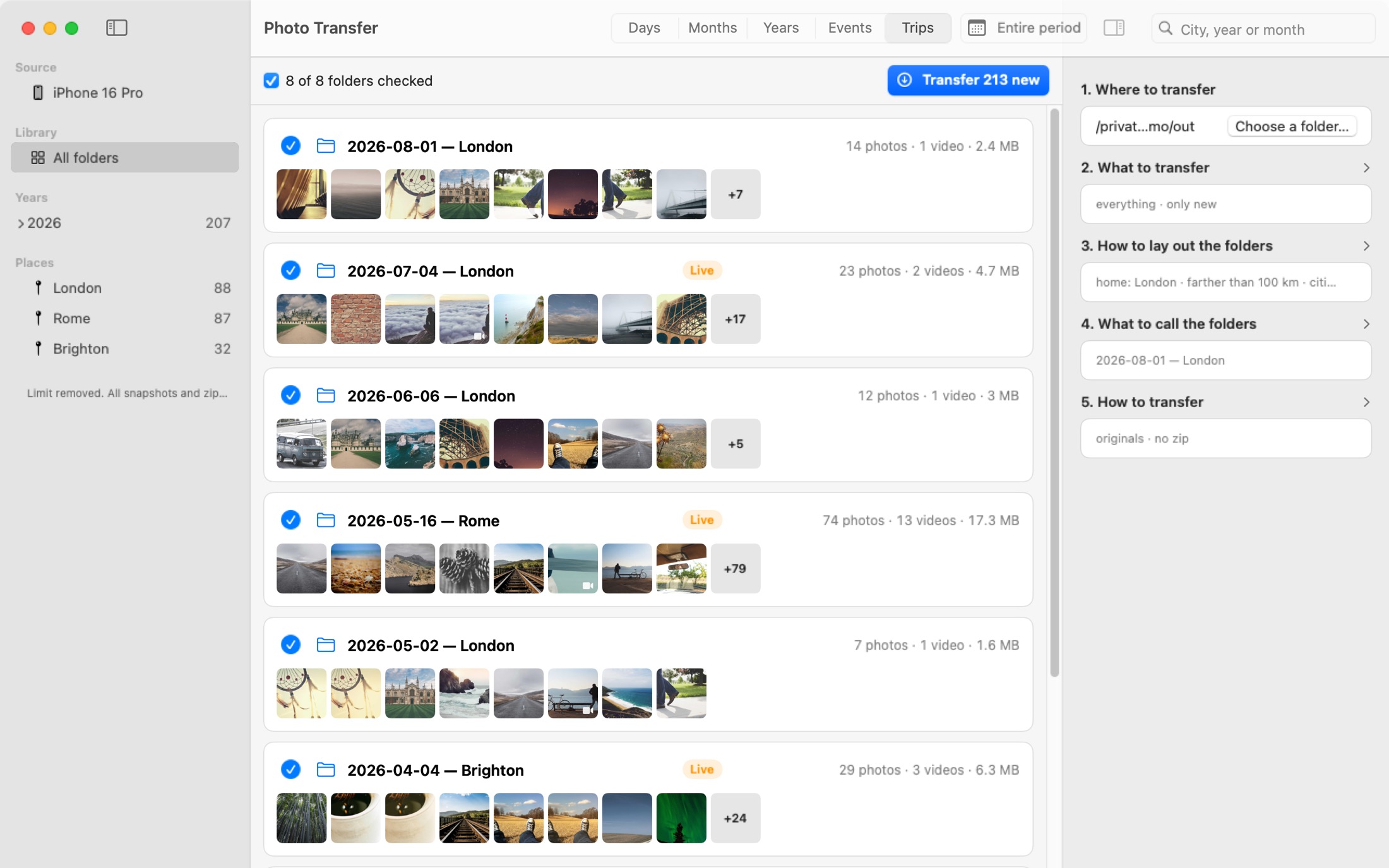
A day, a month, a year. An outing set apart by a gap in time or distance. A stay in another city as one trip, with home detected from your own shooting history.
Every file verified
Each copy is checked with SHA-256 before it gets its final name. The report shows what landed and what did not.
See the folders before anything is copied
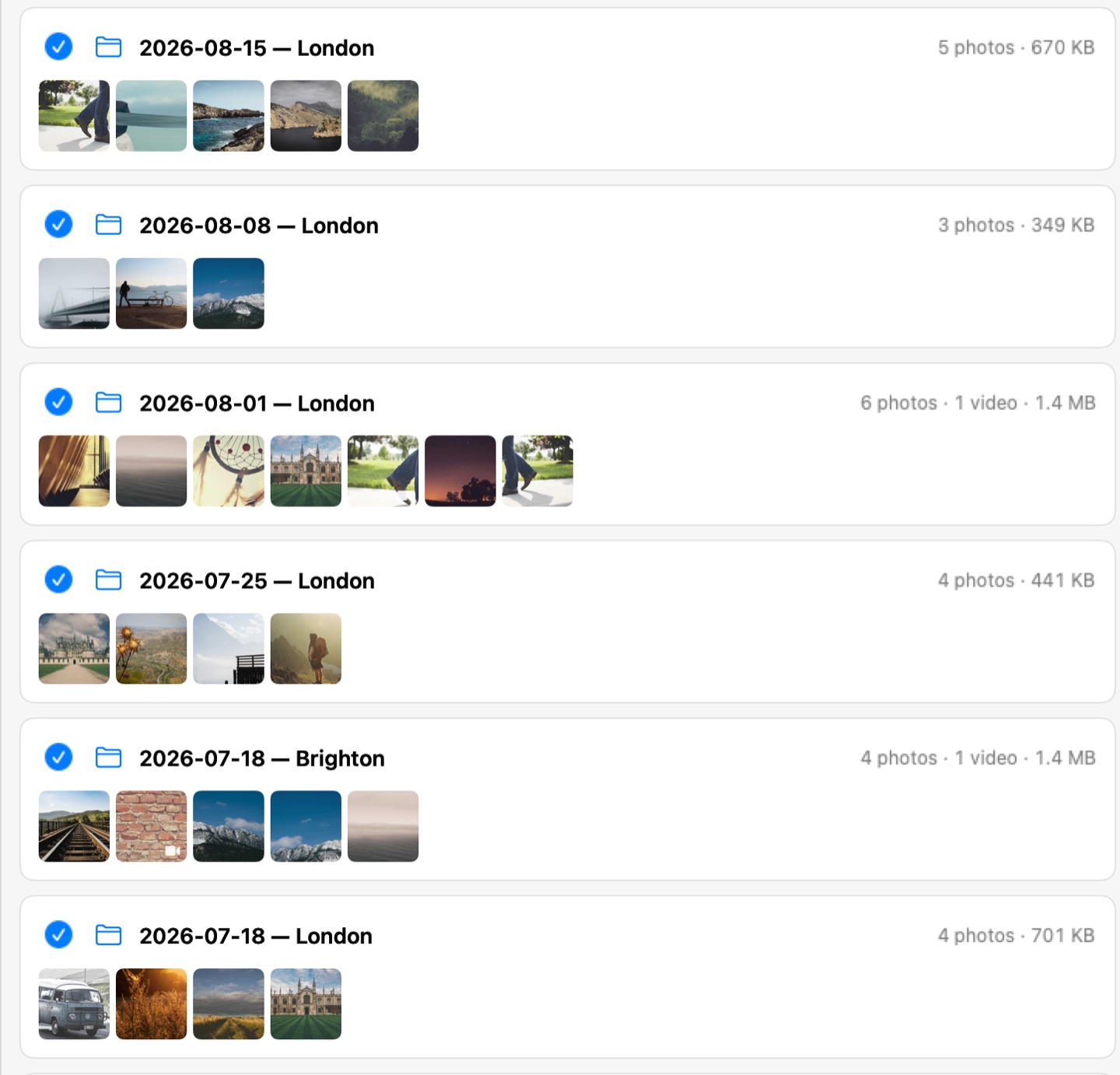
The plan is a list of folders with counts, sizes and thumbnails. Uncheck what should wait, rename a folder in place, switch the grouping and watch the list rebuild.
Name folders the way you want
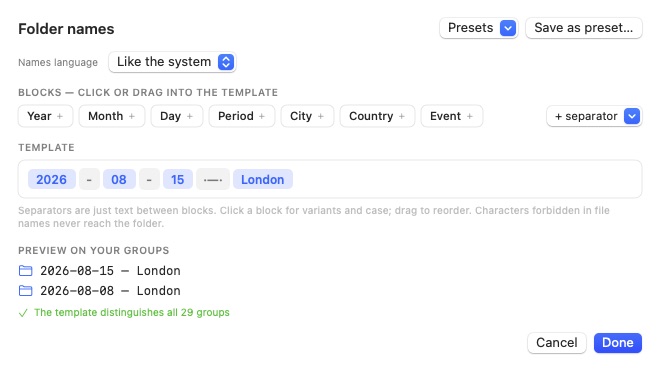
Assemble names from blocks: year, month, day, period, city, country, event. Pick separators and casing per block, save presets, and preview the result on your own groups.
Related files stay together
A Live Photo is a HEIC and a MOV. An edit is a copy next to the original with an .AAE sidecar. Photo Transfer keeps each set in one folder, dated by the original, not by the edit.
Clear the phone weeks later, without guessing
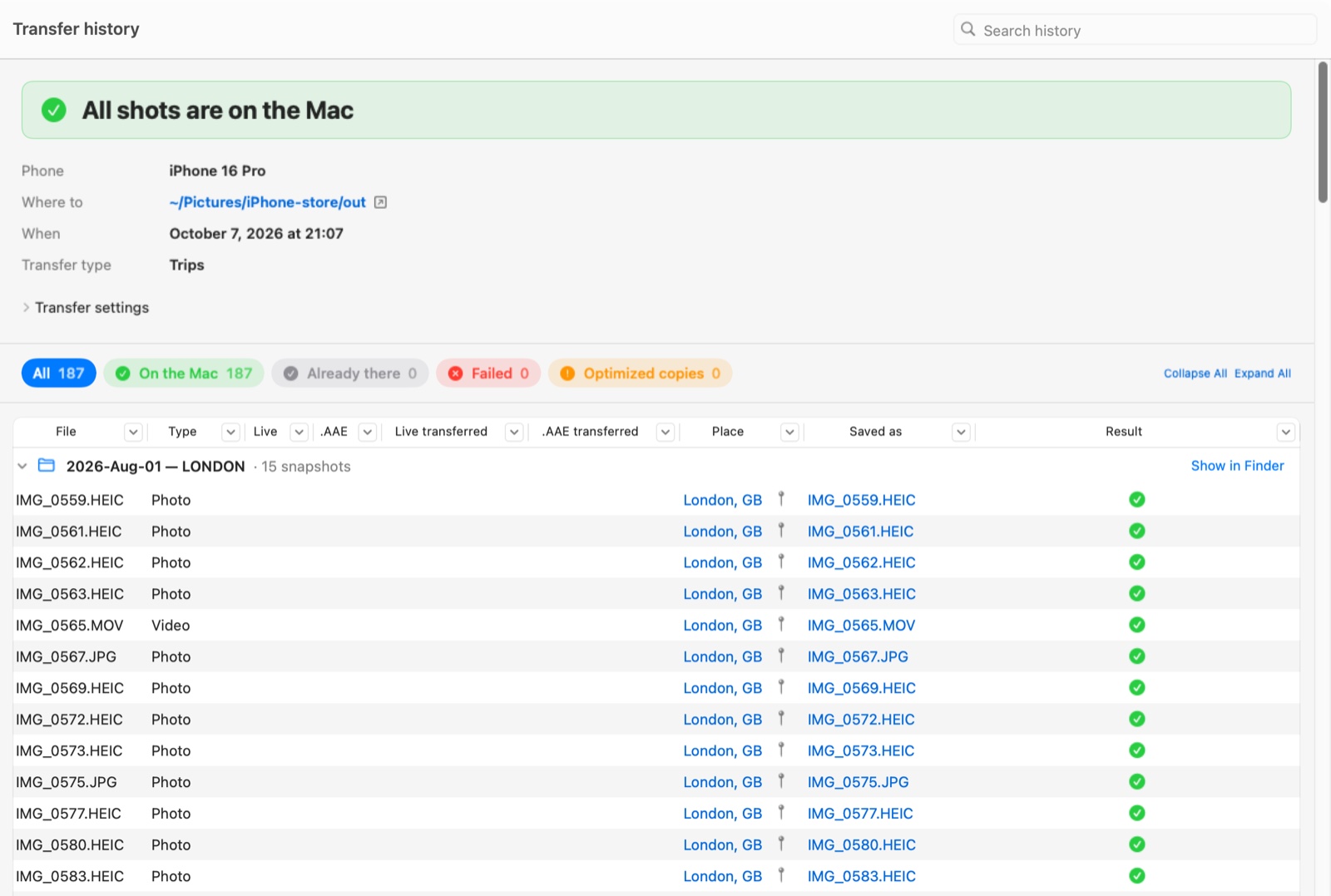
Every transfer is kept: which folder each photo went to, whether its Live Photo video and edit came along, what was skipped and why. Filter any column like a spreadsheet, click a place to see it on a map, open the folder in Finder.
Built for thousands of files, not a dozen
Unplug, plug back in, it resumes
Pulling the cable pauses the transfer. Plugging it back in continues from the same file. Each file is written to a temporary name and renamed only after it verifies.
Only what is new
Before a transfer the app compares what it would write with what is already in the destination folder, by folder, name and size. Only new snapshots are offered. One switch copies everything again.
Originals or converted
Keep files byte for byte, or convert HEIC to JPEG and HEVC to H.264 on the way. Pack a transfer or each folder into a ZIP, verified before it is finalized.
Why not Image Capture or Photos
| Photo Transfer | Image Capture | Photos | |
|---|---|---|---|
| Where files land | Any folder, drive or NAS, as plain files | One folder per import | The Photos library |
| Folder structure | By date, event or trip, named your way | None | Albums inside the library |
| Verification | SHA-256 on every file, with a report | — | — |
| Transfer history | Every transfer, file by file: what landed where | — | Recently Saved and the Imports album |
| Live Photos and edits | Kept as one set, dated by the original | Separate files | Kept, inside the library |
Photo Transfer never deletes, edits or writes anything on the phone. Not even by mistake: the device is opened read only.
Image Capture showing fewer photos than the phone has? Here is what is actually missing, and how to get it back.
iPhone storage full? How to move the photos to a Mac and delete them from the phone safely.
Small disk on the Mac? How to import iPhone photos straight to an external drive.
Thinking of cancelling iCloud? What happens to your photos, and what to do first.
Looking for an Image Capture alternative? What Photos, AirDrop and Photo Transfer do differently, and when Image Capture is enough.
Want folders by date instead of one big pile? Three ways to sort iPhone photos into folders on a Mac, and the naming rule that makes them sort.
Delete after import greyed out in Image Capture? Why it happens, and a safer way to clear the phone.
Free every day. One purchase for everything.
A snapshot is one photo, one video, one Live Photo pair or one original with its edit.
Free
50 snapshots a day, reset at midnight
Unlimited
No subscription, no account
Direct checkout by Paddle, card or Apple Pay, license key by email.
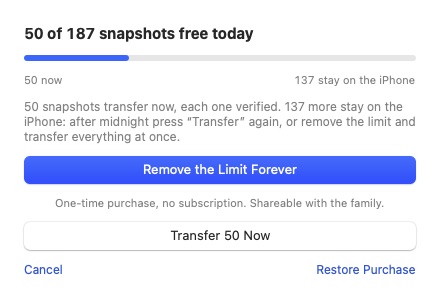
What you see when a plan is larger than the day's free share. Transfer the free part now, or remove the limit.
App Store or direct?
Same app, same price, same free tier. The differences are in how you pay and how you get it back.
| Mac App Store | Direct | |
|---|---|---|
| Where it comes from | The App Store app on your Mac | A .dmg from this site |
| Your Macs | Every Mac signed in with your Apple Account, plus Family Sharing | Personal use on all your Macs, up to 3 active at once |
| Updates | Through the App Store | Inside the app |
| Refunds | Through Apple, at reportaproblem.apple.com | Within 30 days, no questions asked. See the refund policy |
| Lost the purchase? | Restore Purchases in the app | Your key arrives by email. Ask for it again on the License page with the address you paid with |
Questions people ask before the first transfer
Do I need to install anything on the iPhone?
No. Connect it with a cable and tap Trust on the phone once. The Mac app does the rest.
Does it change or delete anything on the phone?
No. The device is opened read only. Nothing is deleted, edited or written on it.
Where do the photos go?
Into the folder you choose for the session: on the Mac, on an external drive or on a network share. The folders are created there as plain files.
What counts toward the free limit?
One snapshot: a photo, a video, a Live Photo pair or an original with its edit. Fifty a day, reset at local midnight. The rest stay on the phone until you transfer again or remove the limit.
Does the app send anything to the internet?
Only one thing, and only while you keep it on: coordinates from your photos go to Apple's geocoding service so folders can carry city names. Turn it off and the App Store version makes no network requests at all. The direct version also checks its license key every few days.
Which Macs does it run on?
macOS 15 or later, on Apple silicon and Intel.
App Store or direct, what is the difference?
The same app at the same price. The App Store version updates through the store and shares with your family. The direct version is a .dmg with a license key, updates inside the app, and refunds handled by us within 30 days.
How many Macs does a license key cover?
All the Macs you personally use, up to 3 active at once. Deactivate an old Mac in Settings › License to free a slot, or write to support if that Mac is gone.
I lost my license key
Ask for it again on the License page of this site with the email address you paid with; it arrives within a few minutes. If that address is gone too, write to support with the date of the purchase.
 Photo Transfer
© 2026 Viacheslav Koniukhov. Sold on this site by Paddle as merchant of record. Apple, iPhone, iPad, Mac, macOS and App Store are trademarks of Apple Inc. Photo Transfer is an independent product, not affiliated with or endorsed by Apple.